
Line Art vs Pencil Sketch: Which Photo Effect Should I Use?
Compare outline and tonal photo effects. Choose the right input, adjust edge or shading controls, and understand raster downloads and conversion limits.
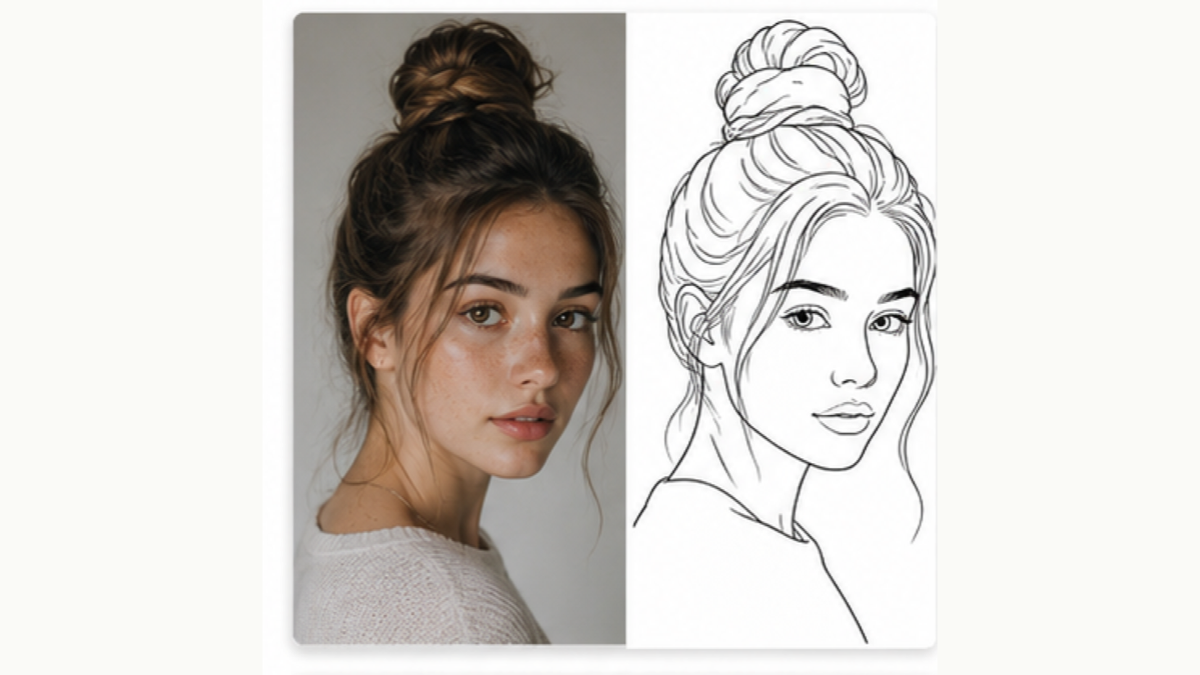
Use line art when the important information is the outline. Use a pencil sketch when you need light, shadow, and tonal form. Both PhotoGrid tools are local photo effects; neither redraws the subject with a generative model.
Compare the output before choosing
| Task | Better starting point | What to inspect |
|---|---|---|
| Trace a silhouette | Line Art | Clean edges and gaps in the outline |
| Make a coloring activity | Coloring Page | Open areas large enough to color |
| Study a portrait’s shading | Sketch | Separation between highlights, midtones, and shadows |
| Transfer drawing proportions | Drawing Grid | Matching row and column counts |
These are task choices, not quality rankings. The same source photo can be useful in several forms.
How do I make cleaner line art?
Start with a clear subject and a plain background. In Photo to Line Art, raise Edge threshold to remove faint edges or lower it to retain detail. Apply again after changing a setting. Thickening the lines can help visibility, but it does not remove clutter.
An edge detector can pick up fabric, leaves, and compression artifacts. If the background overwhelms the subject, crop before converting. The download is a raster PNG, not an SVG cutting path or an automatically transparent stencil.
How do I make a lighter pencil sketch?
Start with HB Graphite. Reduce Intensity or Shading if shadows become solid. Try 2H Hard for a lighter tone, or 6B Soft and Charcoal when you want darker marks. Compare Pencil, Pastel, and Crosshatch with the same source rather than changing the source at every step.
A sketch effect can emphasize existing tone, but it cannot recover missing detail from blur. Check the face and hands at the intended display size.
What can I download and print?
Line art downloads as PNG; pencil sketch downloads as JPEG. Both are capped at 2200 pixels on the longest edge. Smaller inputs are not enlarged. Choose the physical print size in your print app; a large paper setting does not create new detail.
For a drawing project, keep the original photograph alongside the effect. Use it to check any contours or shadows that the conversion simplified.