









Instagram Grid: Plan a Nine-Tile Image Composition

Prepare a nine-tile Instagram grid from one image. Preview three columns and three rows, select a tile shape, and download a complete PNG set.

  • Free browser tool
  • No signup required
  • No watermark

Instagram Grid: Plan a Nine-Tile Image Composition editor

Instagram grid preview

Waiting for a source image

OriginalPosting order
Original
Post 9
Post 8
Post 7
Post 6
Post 5
Post 4
Post 3
Post 2
Post 1

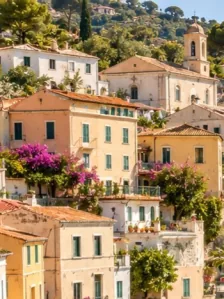
One coastal photo, nine tiles. Post in the numbered order, starting with 1.

How do I use this tool?

  1. 1.Choose the source artwork

    Upload one photograph or finished design that can work as nine connected pieces.

  2. 2.Check the complete grid

    Review the three-by-three crop and look at each tile independently. Keep crucial details away from seams and outer edges.

  3. 3.Save the files

    Download the ZIP and use the feed posting guide. Review real upload previews before publishing the set.

Before I download

Is this an Instagram account planner?

No. It is an image splitter. It creates PNG tiles and ordering guidance without logging in, reading your profile, or scheduling posts.

Can I make one collage from different pictures?

Yes, with Instagram Grid Maker. That tool combines multiple source photos into one image; this page divides one source into multiple files.

Plan what each tile contributes

An Instagram grid composition is seen both as a complete arrangement and as separate posts. Make sure each section contains an intentional part of the image. A recognizable shape or texture is more useful than an accidental half-word. If the design needs uninterrupted left-to-right reading, consider a carousel instead of relying on a profile layout to carry the message.

Treat the preview as a planning canvas

The page previews your source file and chosen tile ratio. It does not read existing account posts or control pinned items and future uploads. Keep the original and downloaded tiles together so you can revise the set after inspecting the app. Changing the ratio should lead to a fresh complete export, rather than mixing tiles made with different settings.

AI styles

Try a different look for my photo

Choose a style, preview an example, then create an image with AI credits.

Loading AI templates.