









IG Post Splitter: Create Six Separate Picture Tiles

Split one picture into six IG post tiles using two rows and three columns. Check each crop and download the PNG set with a feed order guide.

  • Free browser tool
  • No signup required
  • No watermark

IG Post Splitter: Create Six Separate Picture Tiles editor

Instagram grid preview

Waiting for a source image

OriginalPosting order
Original
Post 9
Post 8
Post 7
Post 6
Post 5
Post 4
Post 3
Post 2
Post 1

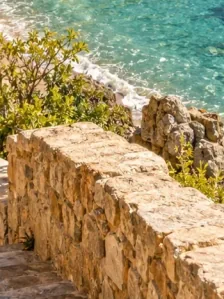
One coastal photo, nine tiles. Post in the numbered order, starting with 1.

How do I use this tool?

  1. 1.Choose a source

    Upload one photo or finished artwork. Plan for useful visual content in all six sections.

  2. 2.Review two rows

    Keep two rows and three columns, then select a tile shape. Inspect each boundary before generating the final pieces.

  3. 3.Download six posts

    Save the ZIP and follow the feed posting guide while checking each selected image in Instagram.

Before I download

Does six tiles mean one carousel?

Not in this starting mode. It prepares separate feed tiles. Post files from post-01 upward; the guide already accounts for the reversed visual order. Choose a carousel splitter for forward slide order in a swipeable post.

Can I use three or nine posts instead?

Yes. Keep three columns and choose one row for three tiles or three rows for nine. Recheck the combined crop whenever the row count changes.

Plan each post as well as the whole

A six-piece composition occupies two visual rows when arranged in three columns. People may encounter a single post without seeing the complete grid, so avoid tiles that contain only an accidental fragment of text or an unrecognizable subject. Broad shapes, textures, and a clear visual rhythm often survive the split better than a densely labeled poster.

Choose the crop before publishing anything

Changing tile shape after posting some pieces can leave the remaining pieces mismatched. Compare profile-oriented, portrait-feed, and square options in the tool first, then regenerate the complete set when you settle on a choice. Keep all six downloaded files together. The page provides image preparation and ordering guidance; the final profile appearance still needs checking in the app.

AI styles

Try a different look for my photo

Choose a style, preview an example, then create an image with AI credits.

Loading AI templates.