
Color Emotion Card Grid: Create Bright AI Portrait Expression Cards
Use AI Grid Maker to turn one portrait into a colorful 3x3 emotion card grid for creator posts, profile refreshes, carousel covers, and expressive social visuals.
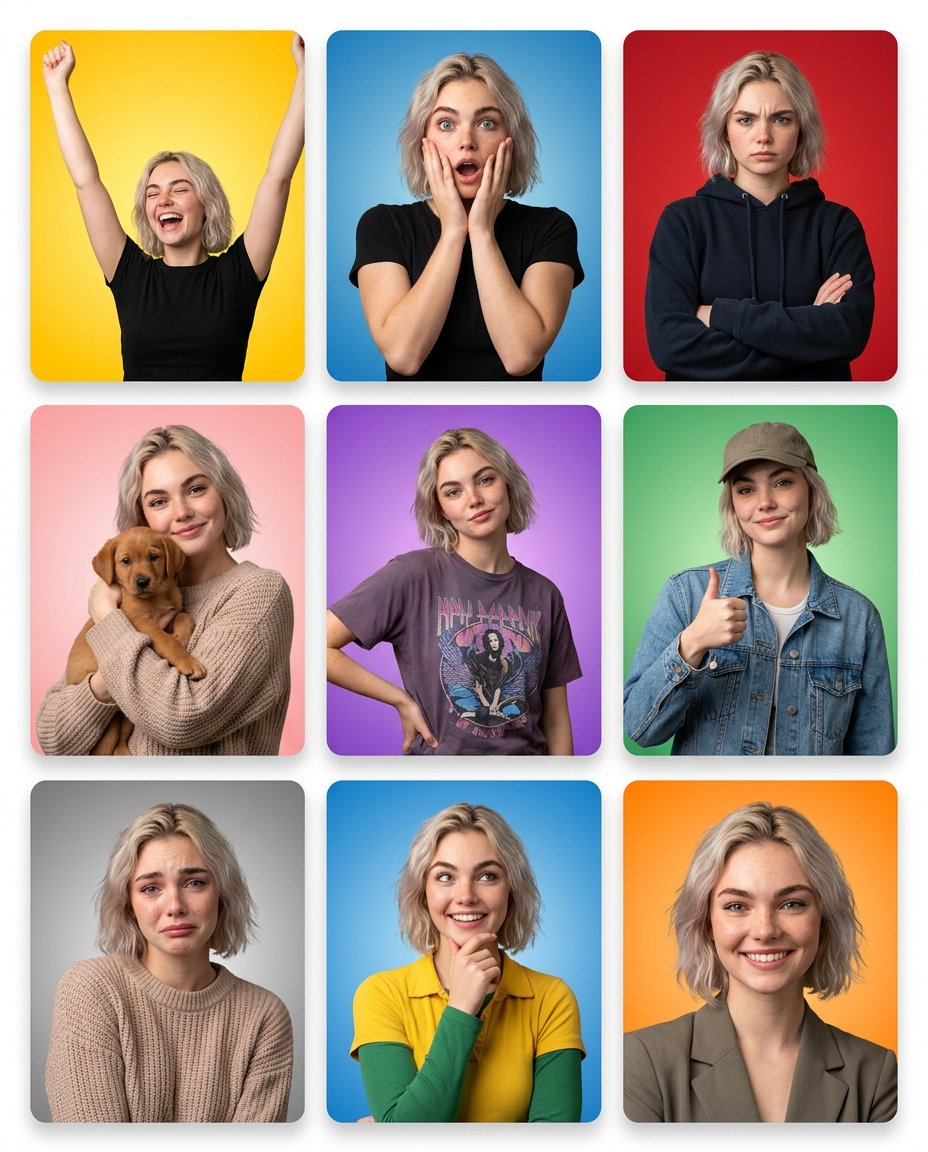
A color emotion card grid is designed for fast scanning. Each panel feels like a small expression card: bright color, rounded studio framing, clear face, and a different emotional beat. It aims for a playful set of expressions based on your portrait; check that each generated face still looks like you.
The AI Grid Maker color emotion card grid turns one uploaded portrait into a 3x3 expression board. It is useful for creator posts, podcast thumbnails, profile refreshes, social hooks, and carousel covers that need personality.
When would I use expression cards?
Use it when the post should feel energetic, friendly, and expressive. The colorful card format works well for creators, educators, coaches, streamers, community managers, and anyone who needs several facial moods from one clean portrait.
The 4:5 frame is especially useful for Instagram feed posts and mobile landing sections because it gives the face more vertical space than a square crop.
Pick the right portrait
Choose a portrait with a visible face and simple lighting. A smile or neutral expression both work, because the template can create a range of emotional cards from the same identity.
Avoid heavy shadows, masks, busy backgrounds, or photos where the face is too small. A clear source makes it easier to compare the generated faces with your own.
Generate the grid
Upload a portrait on AI Grid Maker first, then choose Color emotion card grid. Review the frame and credit cost. Add one short direction if you want a specific tone.
Try:
- "more cheerful and bright"
- "creator thumbnail energy"
- "keep colors clean, not neon"
- "more expressive, still natural"
- "professional but playful"
The best result should feel like a coordinated card set, not nine unrelated portraits. If the colors get too loud, remove extra direction and let the template control the palette.
Use the export
Use the finished image as an Instagram post, carousel cover, podcast guest card, personal brand thumbnail, or expressive profile campaign. If you need a static layout from multiple existing images, use Photo Grid Collage. If you want the expression set generated from one upload, start with AI Grid Maker.
Check the generated result before using it
This is an AI-generated image, not evidence of a real photo shoot. Faces, poses, text, logos, and product details can change between panels. Inspect every panel and keep the original upload for comparison. For an accurate record of a person or product, arrange real photos with Photo Grid Collage.
Generation requires an account and credits. Check the displayed cost before submitting and the current credit packages when you need more. Example images show a possible result, not a guaranteed match for every upload.