
BW Studio Identity Grid: Build a 4x4 AI Portrait Board
Create a crisp black-and-white 4x4 studio identity grid from one uploaded portrait. Use this AI Grid Maker showcase template for profile systems, creator headshots, and editorial identity boards.
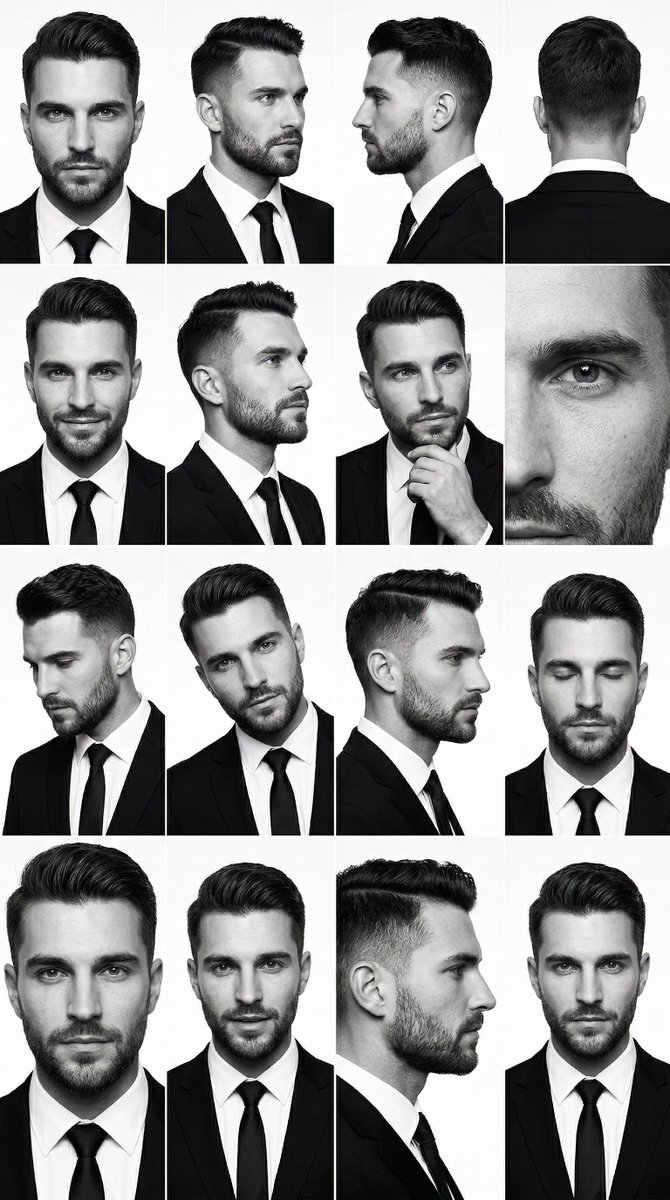
A black-and-white identity grid is useful when the subject needs to feel consistent, serious, and easy to recognize. Instead of one polished headshot, the grid gives you a 4x4 board of expression, crop, and pose variations using your portrait as the reference.
The AI Grid Maker BW studio identity grid turns one uploaded portrait into a crisp monochrome studio board. It is built for creator identity systems, profile refreshes, editorial headshot sets, media kits, and personal brand pages.
When would I choose black and white?
Use this showcase when color would distract from the subject. Black-and-white works well for founders, consultants, artists, musicians, newsletter authors, and creators who need a more mature profile image system.
The 4x4 format gives the page or post more visual density than a simple 2x2 portrait grid. It can support a landing-page about section, LinkedIn banner concept, portfolio contact sheet, or social carousel opener.
How to prepare the upload
Start with a clear portrait where the face is visible and not heavily filtered. Neutral clothing and simple lighting work best. The template supplies the monochrome studio treatment, so the upload should focus on identity rather than decoration.
Avoid group photos, extreme angles, sunglasses, hats that hide the face, and screenshots with compression artifacts. The stronger the identity anchor, the cleaner the expression board.
Generate the showcase
Upload a portrait on AI Grid Maker first, then choose BW studio identity grid. Review the frame and credit cost, and keep extra direction brief.
Useful directions:
- "more serious editorial mood"
- "cleaner studio contrast"
- "keep the face close to the upload"
- "more confident expressions"
- "less fashion, more profile system"
The template asks for a black-and-white 4x4 contact sheet. Check each face before choosing a panel for a profile image.
Where it fits
Use the result as a profile system, a media-kit portrait board, a creator about-page visual, or a monochrome carousel cover. For a manual collage from existing photos, use Photo Grid Collage. For an AI-generated identity board from one portrait, use AI Grid Maker.
Check the generated result before using it
This is an AI-generated image, not evidence of a real photo shoot. Faces, poses, text, logos, and product details can change between panels. Inspect every panel and keep the original upload for comparison. For an accurate record of a person or product, arrange real photos with Photo Grid Collage.
Generation requires an account and credits. Check the displayed cost before submitting and the current credit packages when you need more. Example images show a possible result, not a guaranteed match for every upload.