
AI Product Storyboard Grid: Create a 3x3 Product Story From One Image
Generate a product storyboard grid with AI Grid Maker. Turn one product or creator image into hero, detail, lifestyle, and close-up frames for social posts.
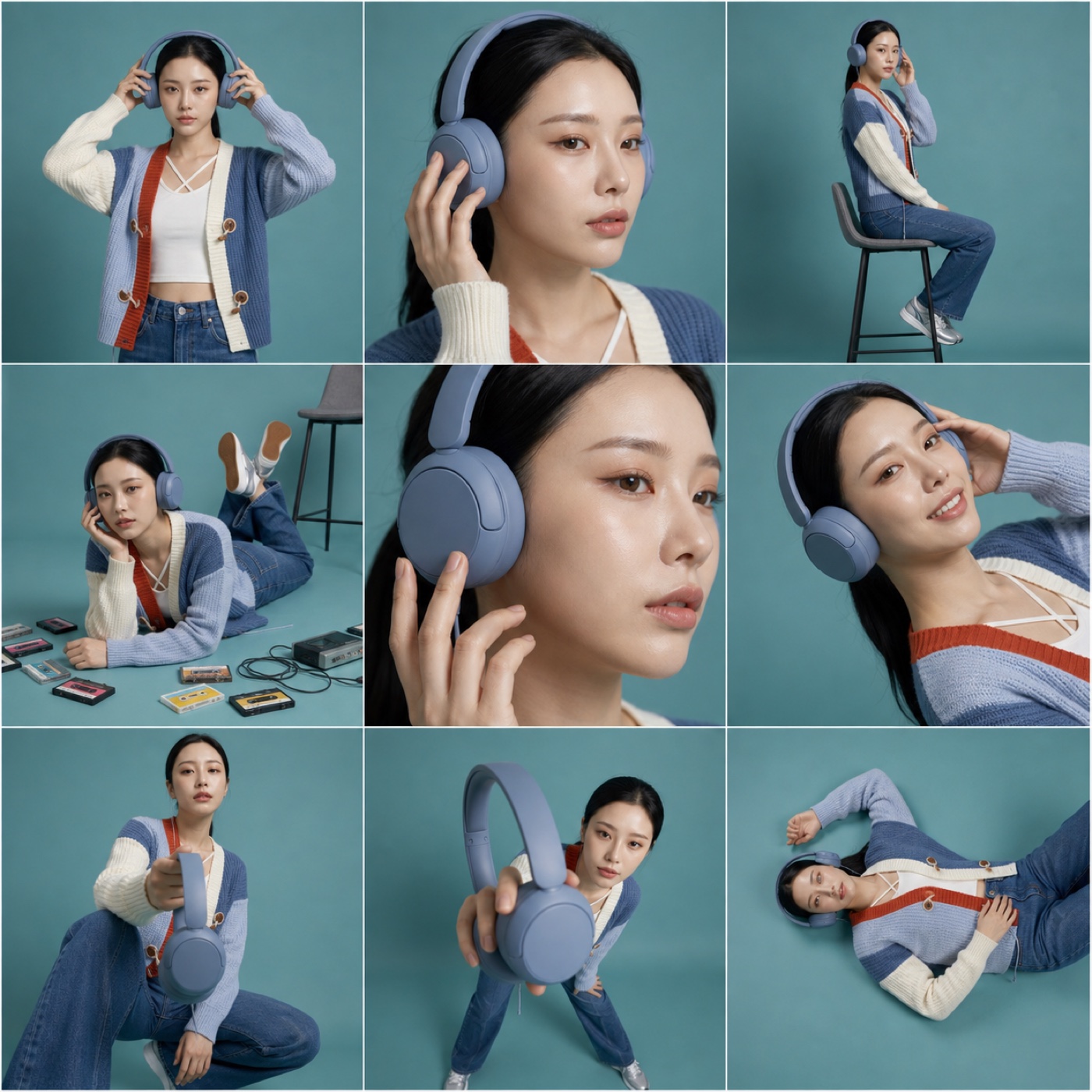
A product storyboard grid helps one product feel like a campaign. Instead of showing a single product shot, the grid shows the product in context: hero frame, close-up detail, lifestyle moment, face-and-product crop, and a few perspective shots that make the post feel more complete.
The AI Grid Maker product storyboard grid turns one upload into a 3x3 social-ready product story. It is designed for creator products, affiliate posts, accessories, merch, and lightweight ecommerce visuals.
Which photo should I use?
Use an image with one clear product, one clear subject, or both. Choose a photo where the product is large enough to inspect. Generated views can change its shape or details, so use the result as a concept and compare it with the original.
Avoid uploads where the product is tiny, hidden, or mixed with several unrelated objects. The template can create a stronger storyboard when it knows what the hero item is.
Give each storyboard panel a purpose
A normal product collage often repeats the same angle. A storyboard gives each panel a job. One panel can introduce the product. Another can show scale. Another can show the subject using it. Another can create a close-up detail shot.
Use the sequence to show the context you want viewers to inspect. If accurate product details are essential, a collage of real product photos may be more appropriate than generated panels.
How to generate it
Upload your photo on AI Grid Maker first, then choose Product storyboard grid. Review the frame and credit cost. Add a short direction if you want a specific mood.
Good directions:
- "premium studio lighting"
- "more lifestyle, less catalog"
- "keep the product large and clear"
- "teal background, clean shadows"
- "show product detail close-ups"
Keep the instruction focused on outcome. The template asks for a 3x3 mix of product and lifestyle views; check that the generated details still match your product.
Where to use the export
Use the finished grid as an Instagram product story, affiliate blog image, ecommerce launch post, creator merch preview, or ad concept. If you already have several finished product photos, combine them with Photo Grid Collage. If you only have one source image and need a campaign-style board, use AI Grid Maker.
Check the generated result before using it
This is an AI-generated image, not evidence of a real photo shoot. Faces, poses, text, logos, and product details can change between panels. Inspect every panel and keep the original upload for comparison. For an accurate record of a person or product, arrange real photos with Photo Grid Collage.
Generation requires an account and credits. Check the displayed cost before submitting and the current credit packages when you need more. Example images show a possible result, not a guaranteed match for every upload.