
AI Fashion Campaign Grid: Make a Playful Editorial Collage From One Photo
Use AI Grid Maker to generate a playful 3x3 fashion campaign grid from one uploaded portrait or product image, with varied poses and a studio-style setting.
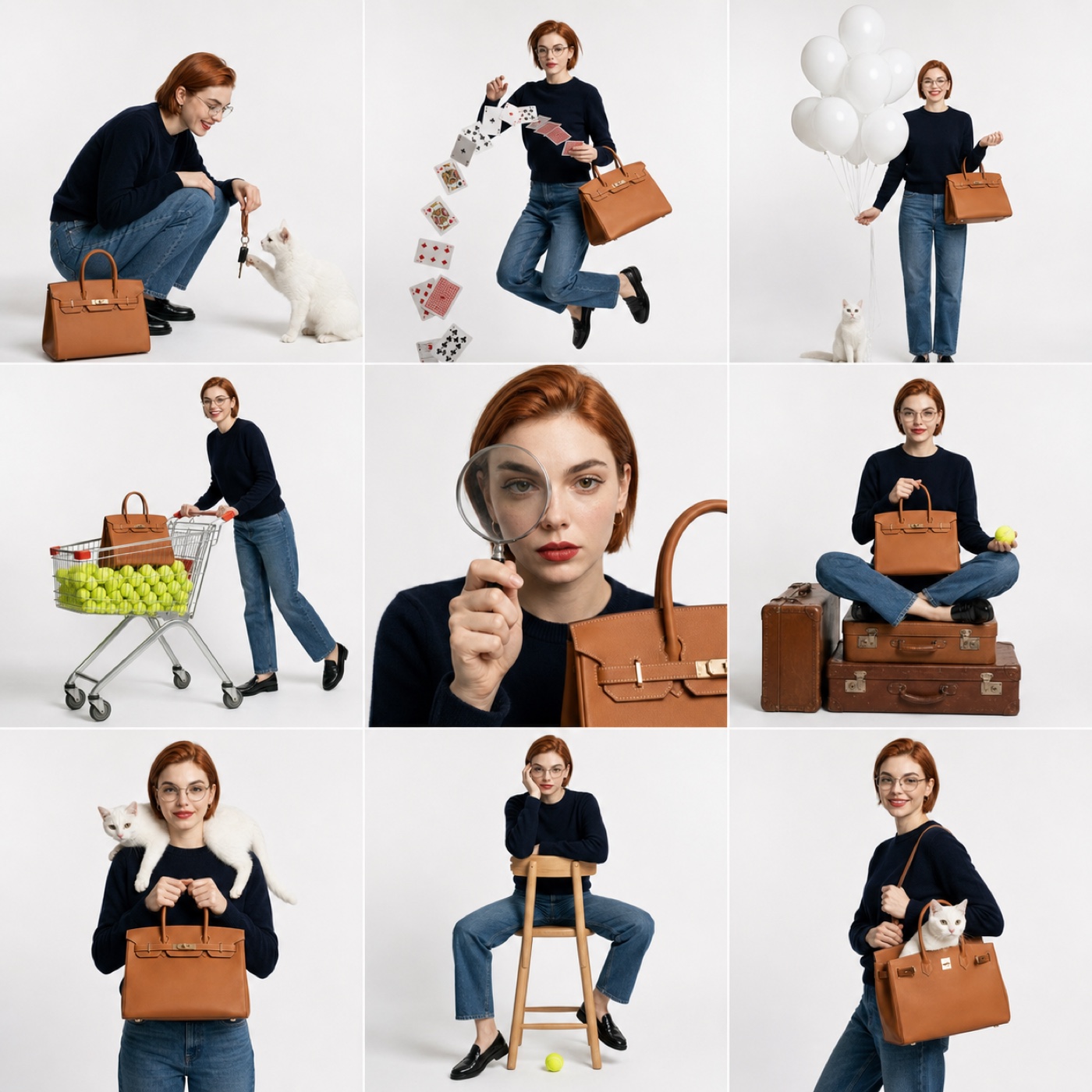
A fashion campaign grid should feel planned, not random. The strongest versions repeat one subject, one outfit mood, and one prop system across several frames, then vary pose and crop enough to keep the viewer moving.
The AI Grid Maker playful campaign collage turns one uploaded image into a 3x3 editorial board. It is useful when you need a campaign-style post but only have one source photo, one product shot, or one clean portrait to start from.
What can I make with this template?
Use it for fashion drops, creator merch, product-led creator posts, lookbook teasers, affiliate content, and social ads that need more energy than a standard product photo.
The template works especially well when the uploaded image contains a clear person or a recognizable product. If the upload has a product, the grid can repeat it as the visual prop. If it is a portrait, the result leans more toward a playful studio campaign.
How to prepare the source image
Choose an upload with a visible subject and simple lighting. A full-body or half-body portrait gives the AI room to create motion. A product photo works best when the item is not cropped too tightly and has a clear silhouette.
Avoid busy backgrounds. The campaign grid is built around a clean studio feeling, so clutter in the source image can make the final board harder to read.
How to direct the AI
Upload your image on AI Grid Maker first, then choose Playful campaign collage. Review the frame and credit cost before generating. Add one short style instruction only if needed.
Useful directions:
- "more luxury editorial"
- "keep the product visible in every row"
- "brighter studio lighting"
- "minimal white background"
- "more playful movement"
Start with the template defaults. If you add direction, focus on one change so you can judge its effect.
Where to use the result
Use the finished grid as an Instagram launch post, a TikTok carousel cover, a Shopify product story image, a creator media kit visual, or a paid social concept frame.
If you already have nine finished images, use Photo Grid Collage to arrange them. If you only have one strong image and need the campaign board generated for you, start with AI Grid Maker.
Check the generated result before using it
This is an AI-generated image, not evidence of a real photo shoot. Faces, poses, text, logos, and product details can change between panels. Inspect every panel and keep the original upload for comparison. For an accurate record of a person or product, arrange real photos with Photo Grid Collage.
Generation requires an account and credits. Check the displayed cost before submitting and the current credit packages when you need more. Example images show a possible result, not a guaranteed match for every upload.