
AI Creator Photobook Grid: Turn One Portrait Into a 9-Frame Story
Create an AI 9-frame creator photobook grid from one portrait. Learn when to use the layout, how to prepare the photo, and how to generate it with AI Grid Maker.
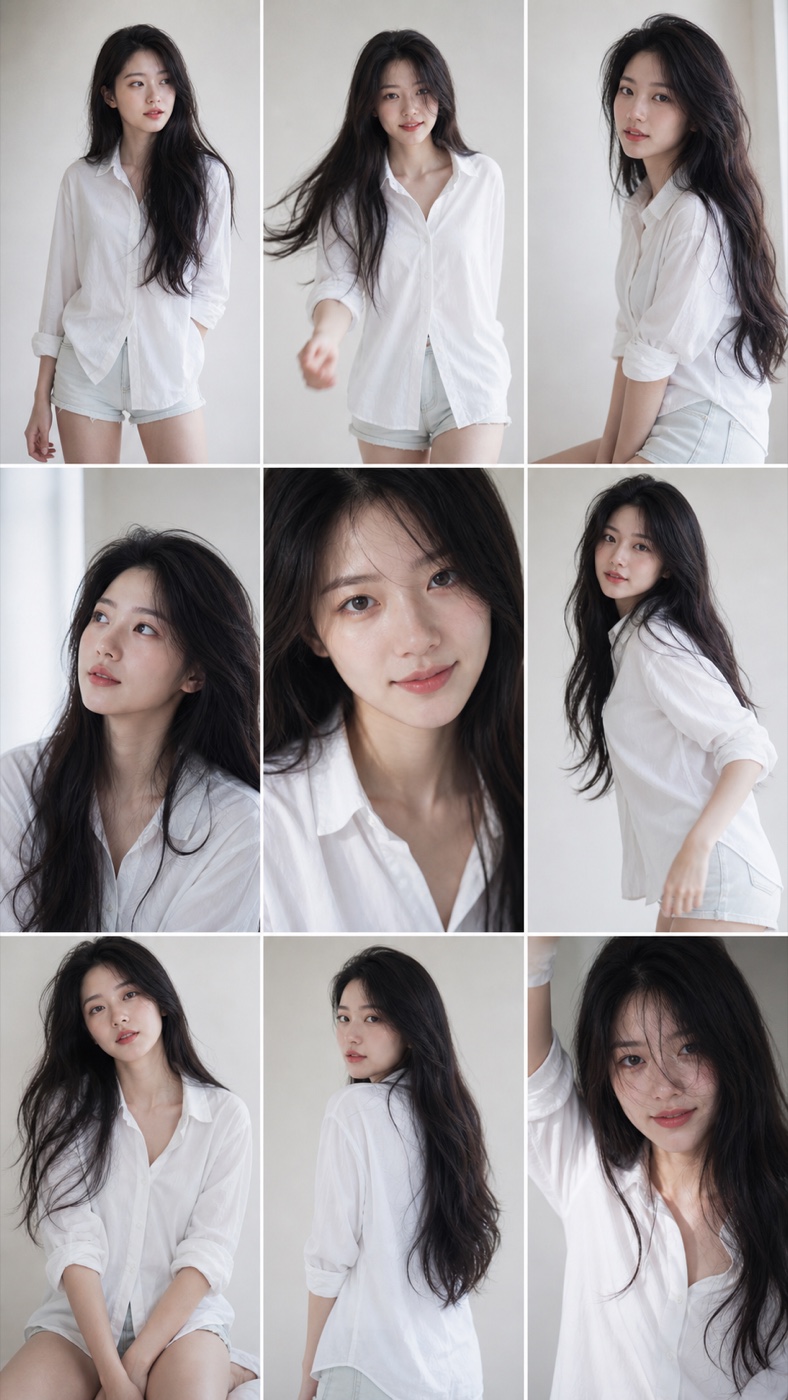
A creator photobook grid works when one portrait is not enough. Instead of posting a single headshot, you can turn one upload into a short visual sequence: looking away, close eye contact, candid motion, seated pose, over-the-shoulder angle, and a playful final frame.
The AI Grid Maker 9-frame creator photobook grid is built for profile refreshes, reels covers, portfolio teasers, and mini lookbooks. It uses your photo as the reference for nine poses and expressions. Check each face in the result; identity can vary between panels.
When would I use this template?
Use this template when the goal is personal presence. It is strongest for creator portraits, musician promos, actor lookbooks, model tests, influencer covers, and personal brand posts.
The layout is vertical, so it feels native on TikTok, Reels, Shorts covers, story posts, and mobile-first landing sections. The 3x3 rhythm also makes it easy to crop into a square teaser later.
Start with a clear portrait where the face, hair, and outfit are visible. Avoid group shots, heavy filters, sunglasses that hide the eyes, or low-resolution screenshots. The AI template has more room to create variety when the source photo gives it a clean identity anchor.
When a 9-frame board is useful
Single portraits ask the viewer to understand the subject in one glance. A photobook grid gives the viewer more to scan. Each panel can show a slightly different mood while the full board still reads as one coherent identity.
Use a board when several poses help explain the concept at once. Use a single portrait when the face needs more space. Neither layout guarantees higher search visibility or engagement.
How to generate it
Upload a portrait on AI Grid Maker first, then choose 9-frame creator photobook grid. Review the frame and credit cost. Add a short direction only if you want to change the mood.
Examples:
- "soft studio light, clean white outfit"
- "warmer film tone, natural smile"
- "more editorial, less cute"
- "keep hair and face close to the upload"
If the first result drifts too far, upload a cleaner portrait and remove extra direction. Start with the default style so you can see what it does with your photo.
Best use cases
Use the exported grid as a creator campaign board, a profile relaunch post, a vertical story cover, or a mini lookbook preview. For a more static layout with multiple real photos, use Photo Grid Collage. For an AI-generated sequence from one image, use the AI Grid Maker template.
Check the generated result before using it
This is an AI-generated image, not evidence of a real photo shoot. Faces, poses, text, logos, and product details can change between panels. Inspect every panel and keep the original upload for comparison. For an accurate record of a person or product, arrange real photos with Photo Grid Collage.
Generation requires an account and credits. Check the displayed cost before submitting and the current credit packages when you need more. Example images show a possible result, not a guaranteed match for every upload.